Yurary
Play a note with your breath.
Every breath in and out moves the music forward. A breathing app for iPhone.
Free, with in-app purchases · iPhone · iOS 18.0 or later
Yurary is currently available on the Japanese App Store, and the app is in Japanese only. An English version is planned.
Features
Features
-
01
The sound leads you to the next breath
Breathe in longer, and the sound lasts longer too. You don’t keep pace with the music — the music follows the length of your breath. No counting seconds, no staring at the screen: the way the sound moves tells you when to breathe next.
-
02
Three minutes, or five breaths
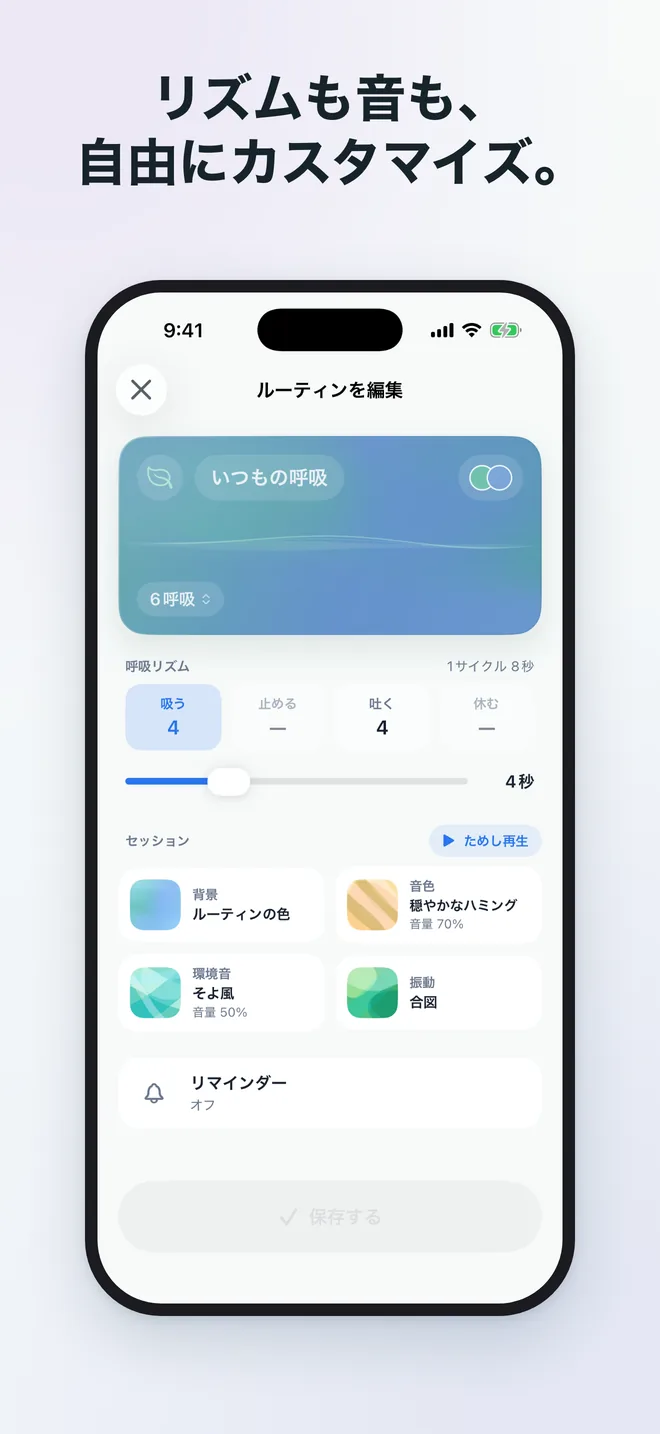
Pick a breath, choose how long, and start. That’s all there is to it. Begin with your everyday breath, or try sets for focusing, for winding down before sleep, and more. Set inhale, hold, exhale, and rest one second at a time — box breathing (4-4-4-4), 4-7-8, or a rhythm of your own.
-
03
A sound for how you feel today
Piano, harp, strings. Rain, waves, a crackling fire. Mix instrument voices with ambient soundscapes. Or turn the sound off and breathe with haptics alone.
-
04
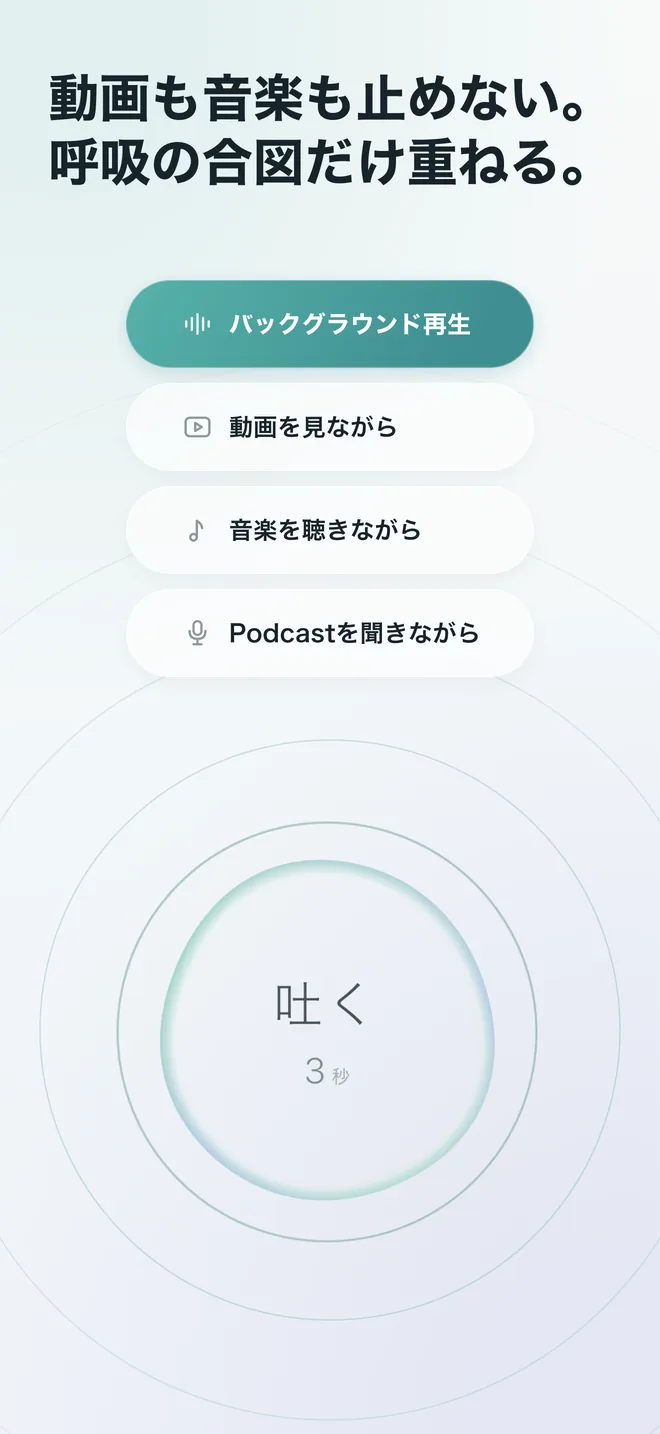
Your music keeps playing.
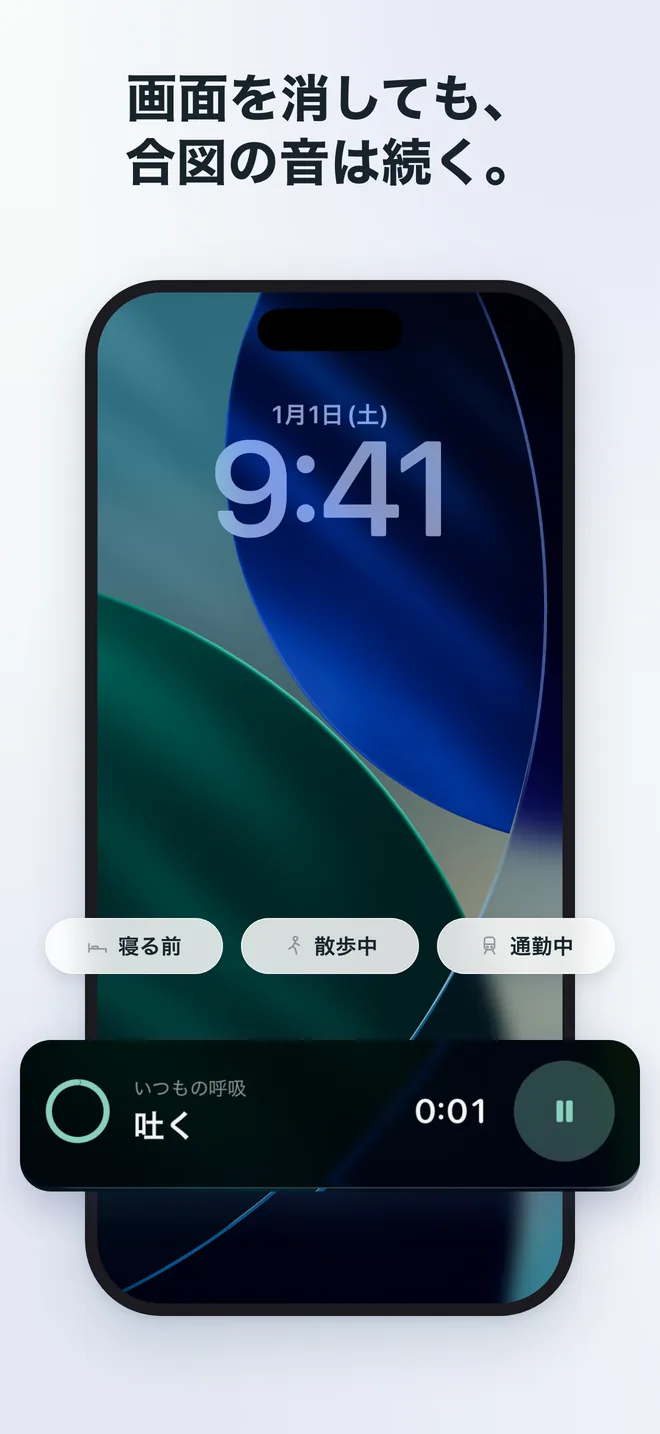
So does Yurary, with the screen off.Keep your music or video running and layer the breathing cues on top. With the screen off, sound and haptics carry on, and the Lock Screen shows the time remaining.
-
05
A quiet record
Look back on a calendar of the days you breathed and your totals so far. No streaks, no goals, no badges.
Screens
Screens
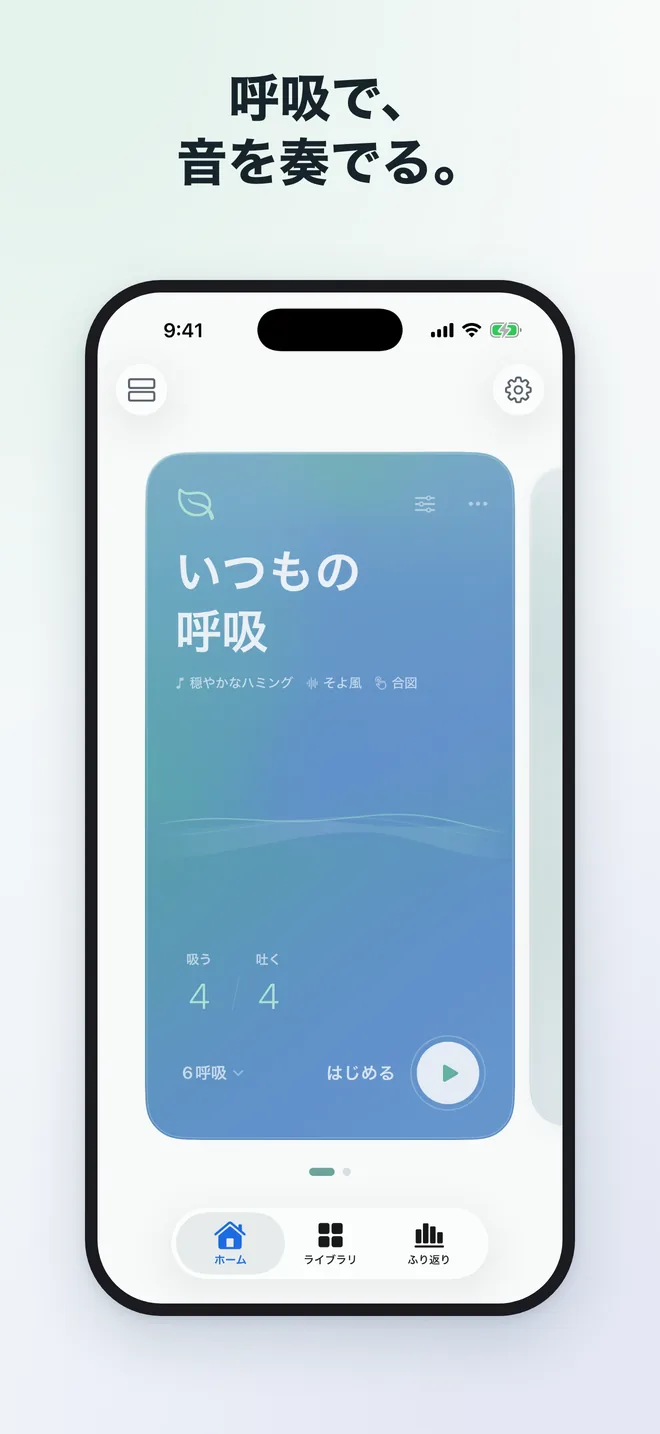
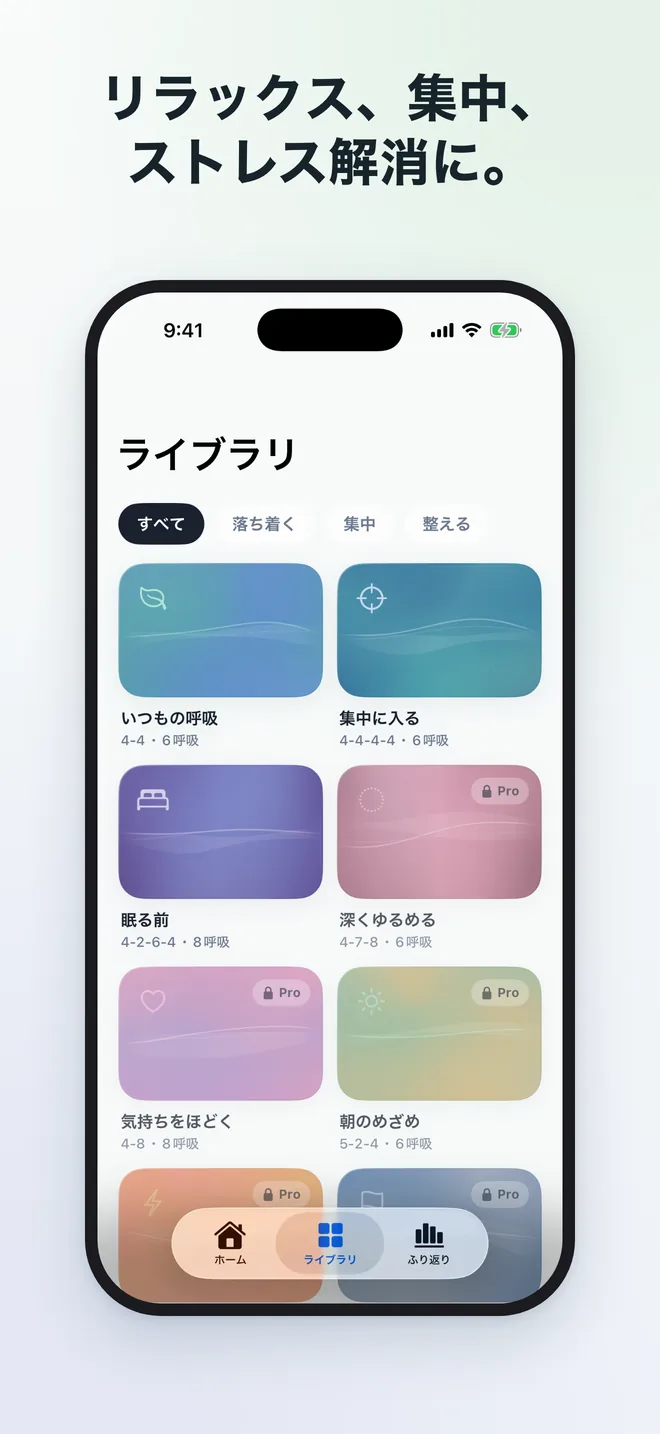
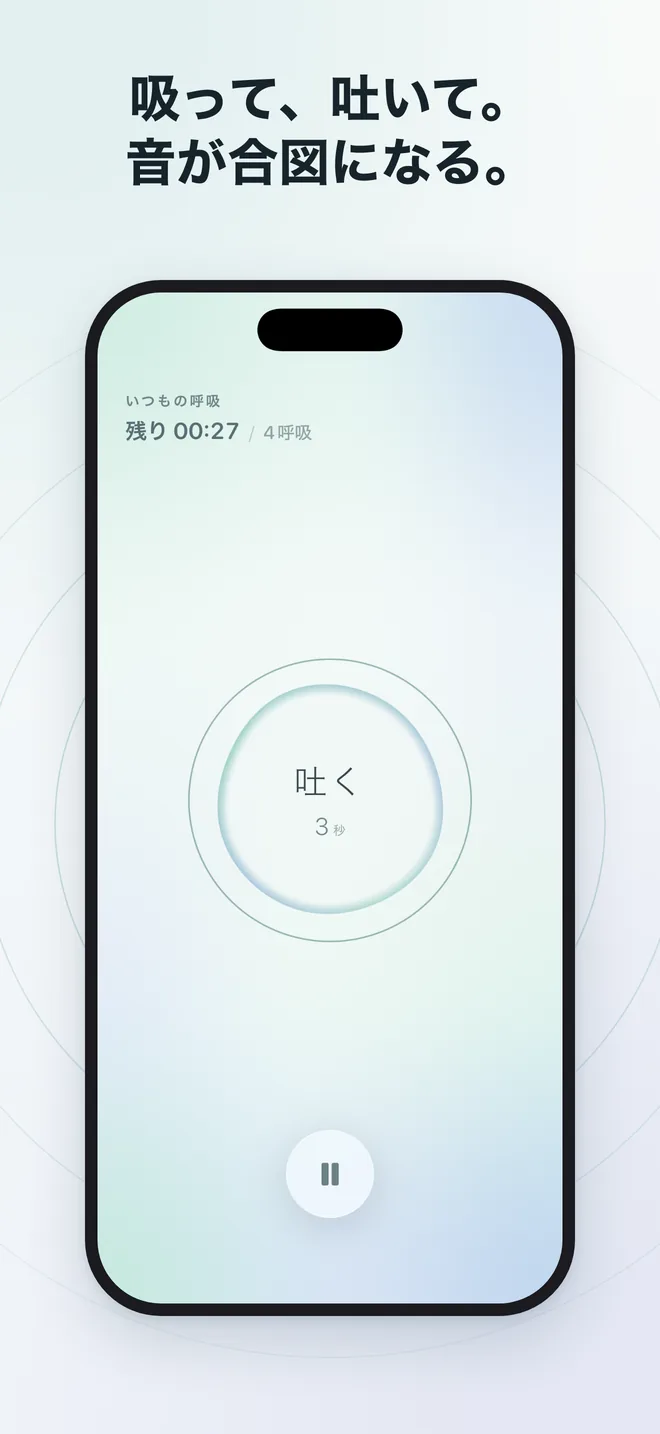
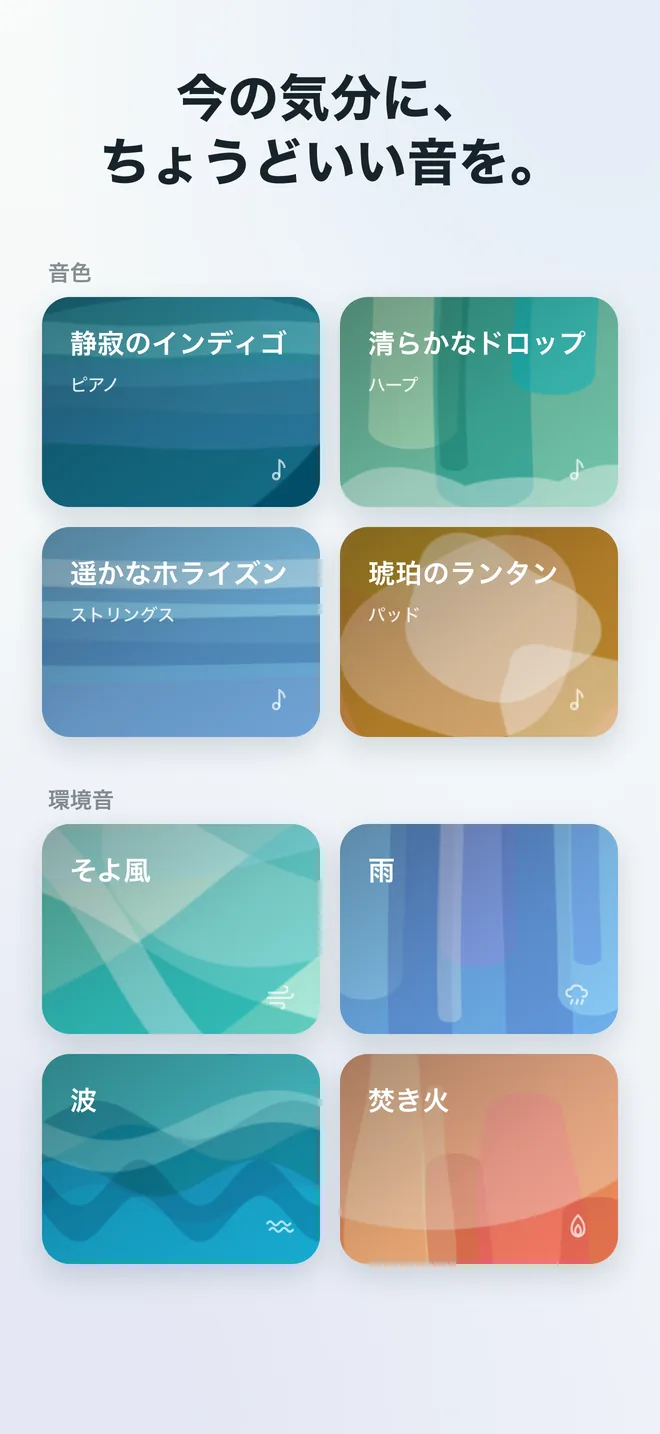
Pro
Yurary Pro
Yurary is free to use, for as long as you like. The free version saves up to two routines of your own.
Pro unlocks every instrument voice and soundscape and every breathing set in the library, and lets you save as many routines as you want. Pricing and purchases are handled on the App Store.
Support
Support
How to get started, and answers to common questions. If this does not solve your problem, please contact us below.
Getting started
- On the Home screen, choose a breathing routine.
- Set the length — a duration or a number of breaths.
- Tap start, then breathe along with the sound and the motion on screen.
A default routine is ready from the start. The Library tab offers breathing sets for focus, for the hour before sleep, and more. Save the ones you like, then change the name, timings, sound, and colors however you want.
Frequently asked questions
- I can’t hear any sound
- Check your device volume and the silent switch. Also make sure a sound is selected in the routine’s settings and that its volume is not set to zero. During a session, you can adjust the volume from the pause screen.
- Can I use it without sound?
- Yes. You can turn the sound off and breathe with the on-screen motion alone, or with haptics alone.
- Will it stop my music or videos?
- No. Yurary mixes with other audio, so you can keep your music or video running and layer the breathing cues on top.
- Does it keep going with the screen off?
- Yes. Sound and haptics continue when the screen is off, and the Lock Screen shows the time remaining.
- I want to change the timings
- In the routine editor, you can set the seconds for inhale, hold, exhale, and rest one second at a time — box breathing (4-4-4-4), 4-7-8, or a rhythm of your own.
- Where are my records stored?
- No account is required. Your sessions and routines are stored on your device. For details, see our Privacy Policy.
- Can it save to Apple Health?
- If you turn it on in Settings, completed sessions can be saved to Health as Mindful Minutes. Yurary only writes; it never reads your health data. You can turn it off at any time.
- Do notifications or widgets start a session on their own?
- No. Reminders, widgets, and Control Center only open the breath you chose. Beginning a session is always your choice.
- About Yurary Pro
- Yurary is free to use. Pro unlocks every instrument voice and soundscape and every breathing set in the library, and lets you save unlimited routines. Pricing and purchase management are handled on the App Store.
- Restoring a purchase / cancelling
- To carry a purchase over to a new device, use “Restore Purchases” on the Yurary Pro screen in the app. To manage or cancel a subscription, open the Settings app on your iPhone, tap your name, then tap Subscriptions.
Contact
Contact
For bug reports or feature requests, please email us.
- [email protected]
- Privacy
- Privacy Policy
Requirements
Requirements
- Device
- iPhone
- OS
- iOS 18.0 or later
- Language
- Japanese (an English version is planned)
- Price
- Free, with in-app purchases
Yurary is not a medical device and is not intended to diagnose or treat any condition. If you have concerns about your health, please consult a medical professional.